


I didn’t know much about the dos and don’ts of airline website experiences, so I started by researching airlines that mainly operate with light aircraft. This gave me a better understanding of common patterns, expectations, and gaps in the industry.


Figuring out time zone of moving planes can be a head-aches. So to eliminate the complexity of tracking time zones across moving aircraft, I designated ANC as the central hub where all flights originate and terminate.FAI and JNU receive twice-daily service (morning and evening), while BRW has one scheduled flight. All flights remain accessible through connecting flights at ANC, creating a simplified yet comprehensive network.
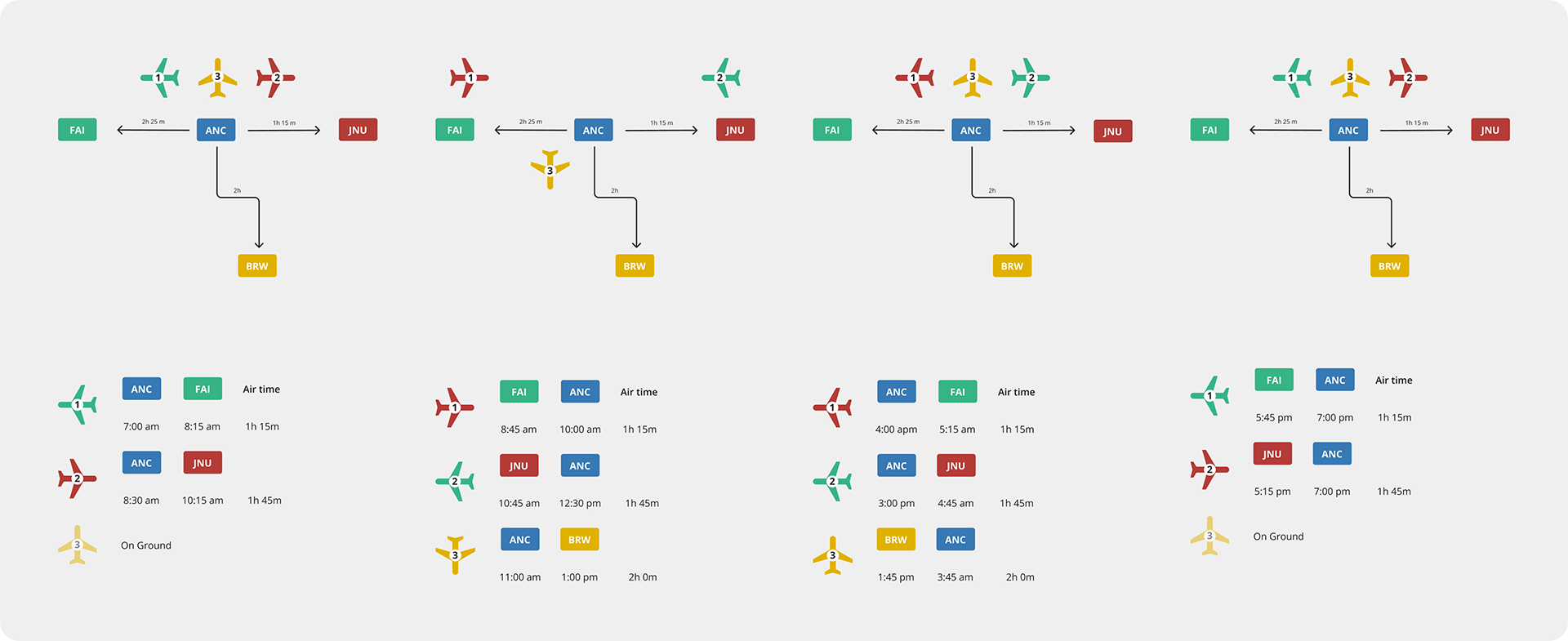
After gaining a better understanding of airline norms, I created a streamlined booking flow that’s easy to follow and free of unnecessary steps.

During hi-fi wireframes phase, different layout were continuous being explored while including the state branding identity. This design phase experience the most design layout changes.
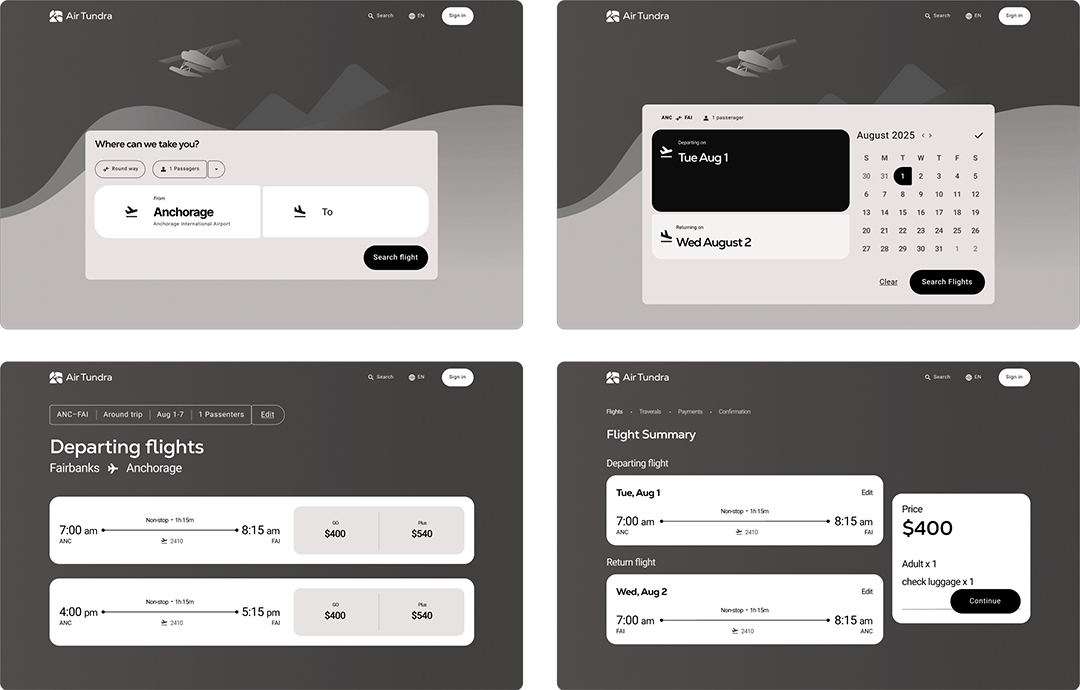
At this point, I have experimenting different layout to find the flow for the user.

I completely redesign the layout as they showing low visual hierarchy and look awkward. Using Illustration and color was able improve the visual layout and brand identity.
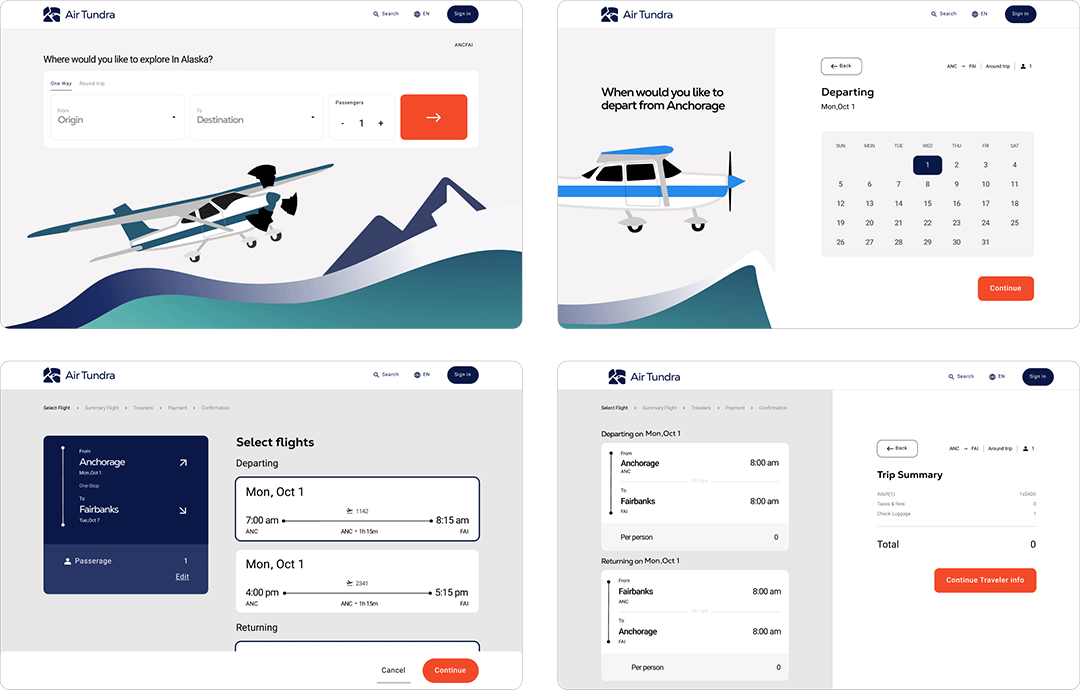
This stage was mainly refined tuning the elements spacing, color, and illustration.
This element appears when users select their flight times. After reviewing other airlines, I noticed most use small tabs with minimal flight information.
For AirTundra, it was expanded to display all flights with greater detail and clarity, making it easier for travelers to confirm they're viewing the correct flight information.

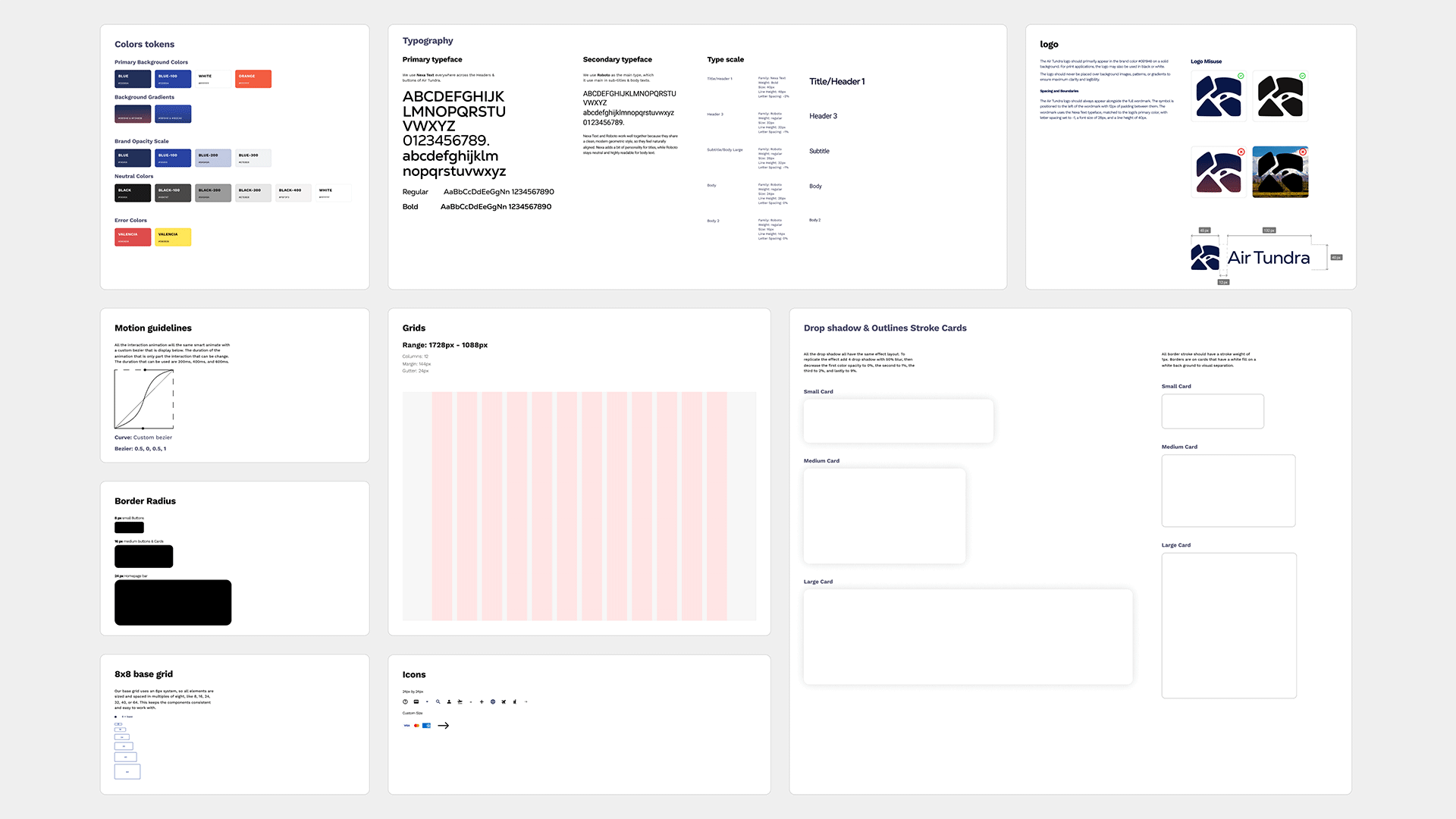
To establish Air Tundra’s brand identity, I created branding sheets that include design principles, a color palette, logo guidelines, and more. This ensures a unified and consistent brand message.
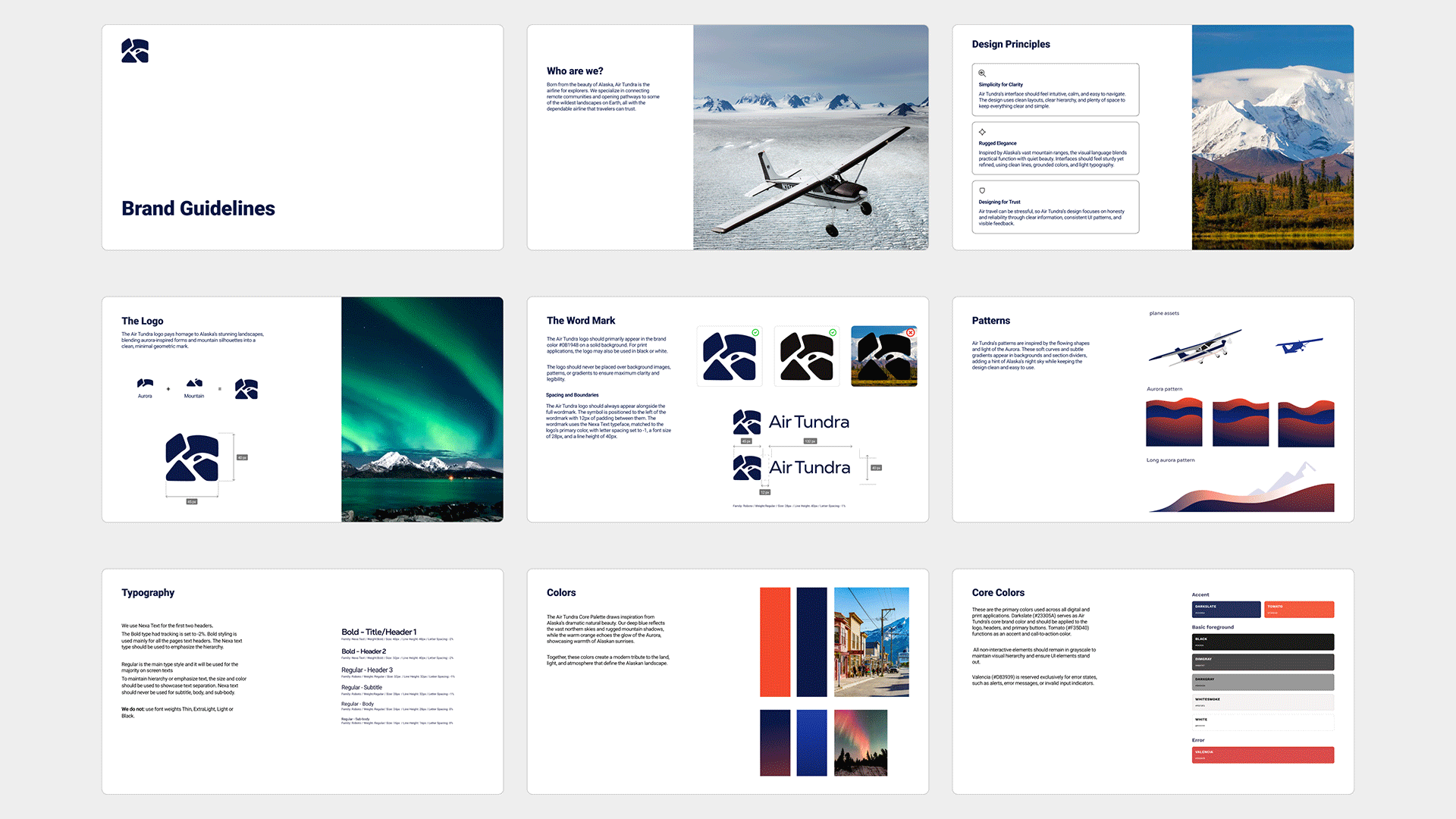
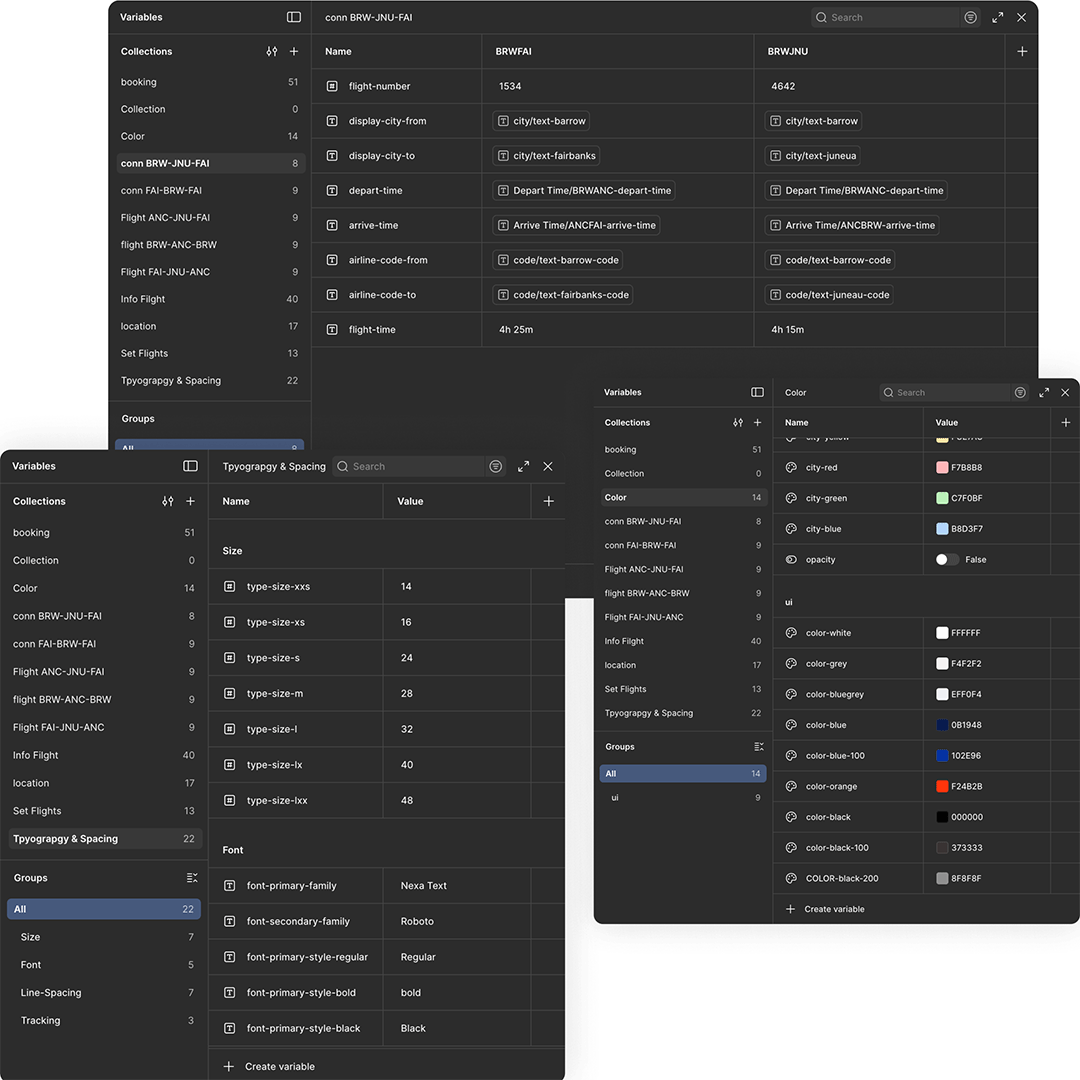
I created design tokens that define the core elements like color, typography, and spacing. They help keep everything consistent and make the design easier to maintain across the whole project.
All tokens like colors, type sizes, and flight schedules were stored as Figma Variables with clear naming conventions and locations, making them easy to understand and quickly locate.
To improve the booking experience and build trust with travelers, I created a design system called Aurora. It unifies and streamlines the entire Air Tundra experience, bringing clarity and consistency to every touchpoint.

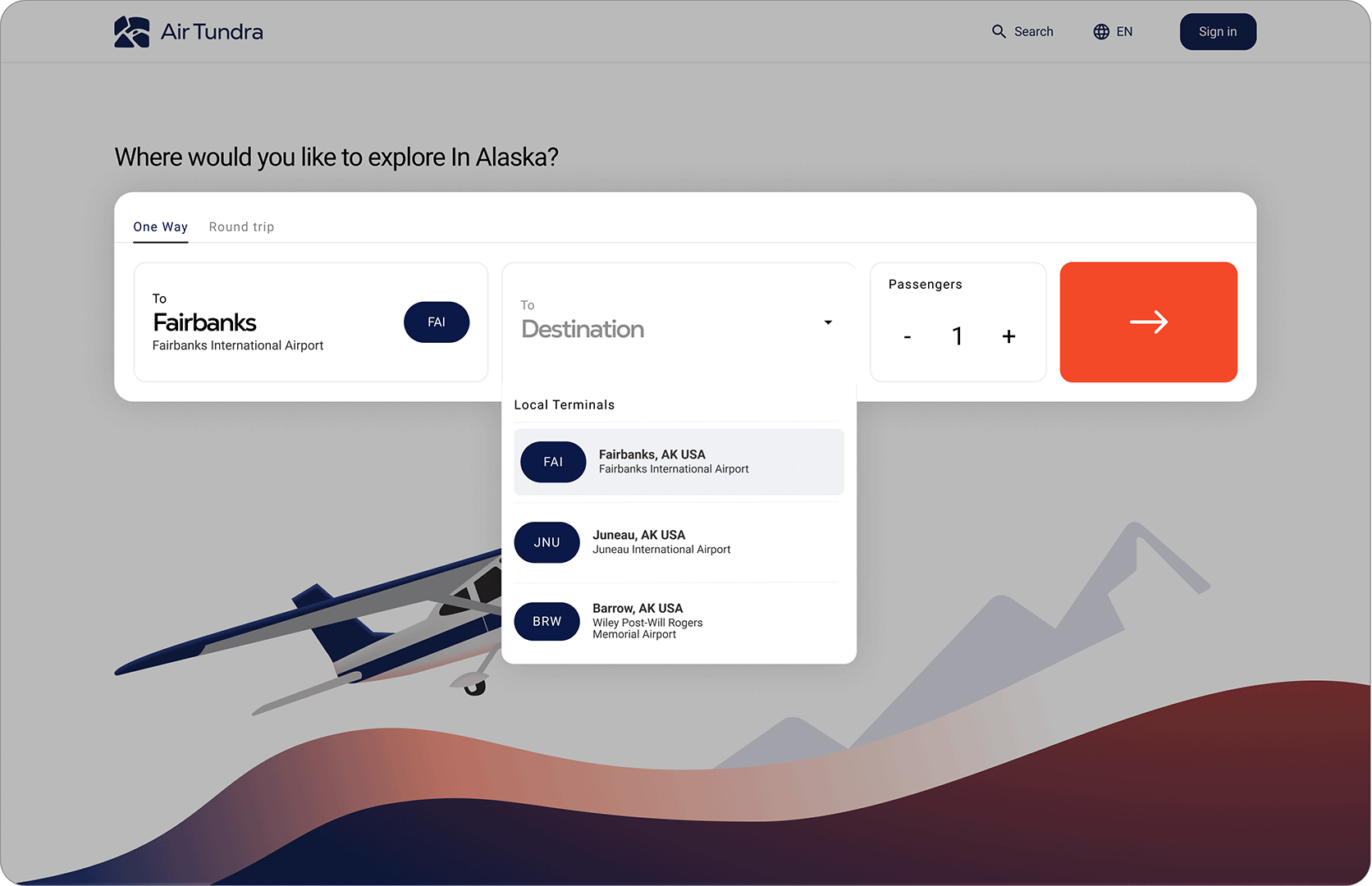
On the homepage, users can choose their origin and destination through two simple drop downs showcasing city airports. They can also select the number of passengers before starting their flight search.
The next page takes users to a screen where they can choose their departing and returning flights.
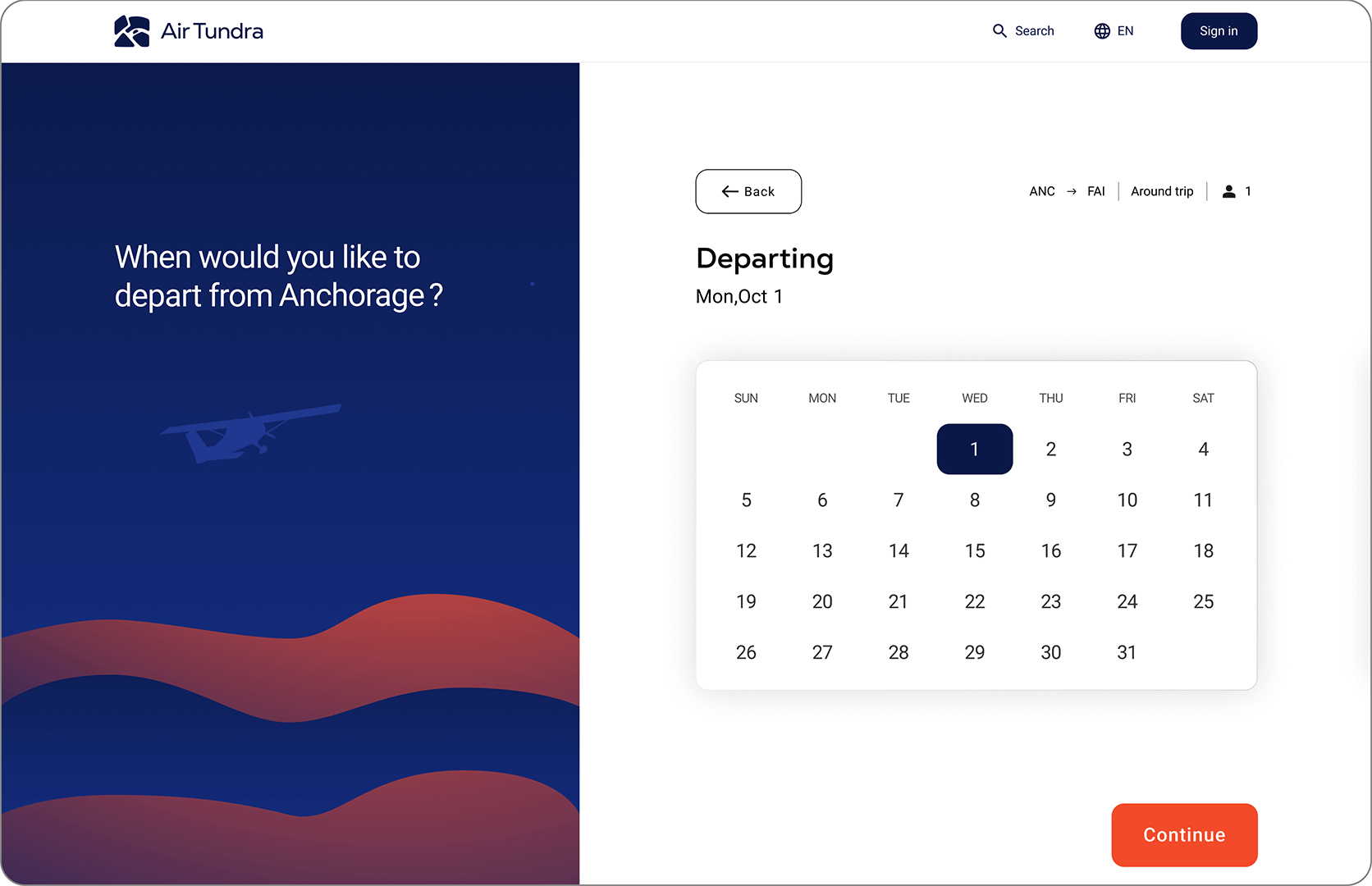
On the left will cards showcasing all flights that user have option for the day they pick. On the right show a card displaying the destination information.
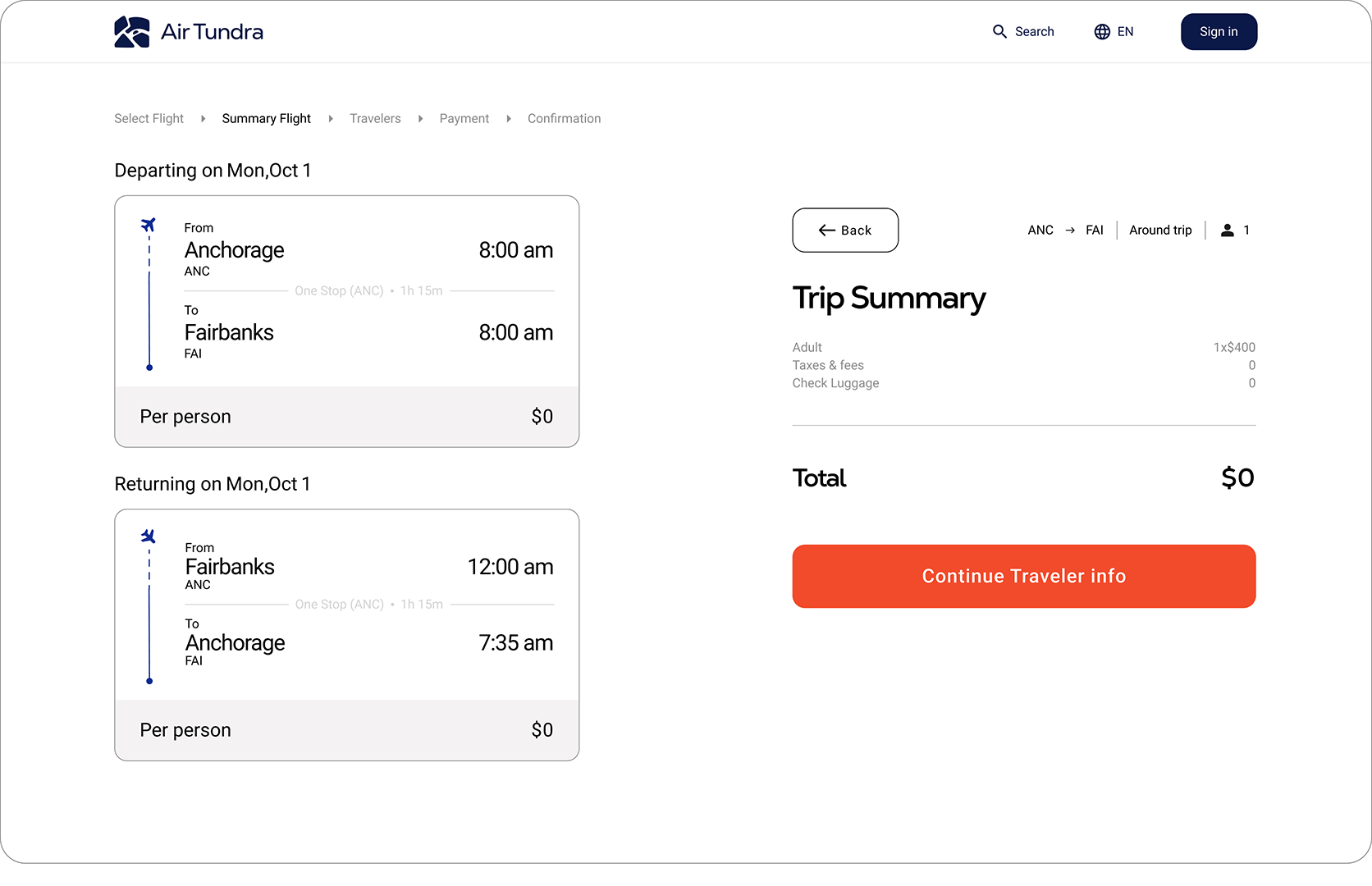
The next page shows a summary of the flights selected for the trip. It also displays the total price that includies amount of passengers, checked bags, and any additional fees.

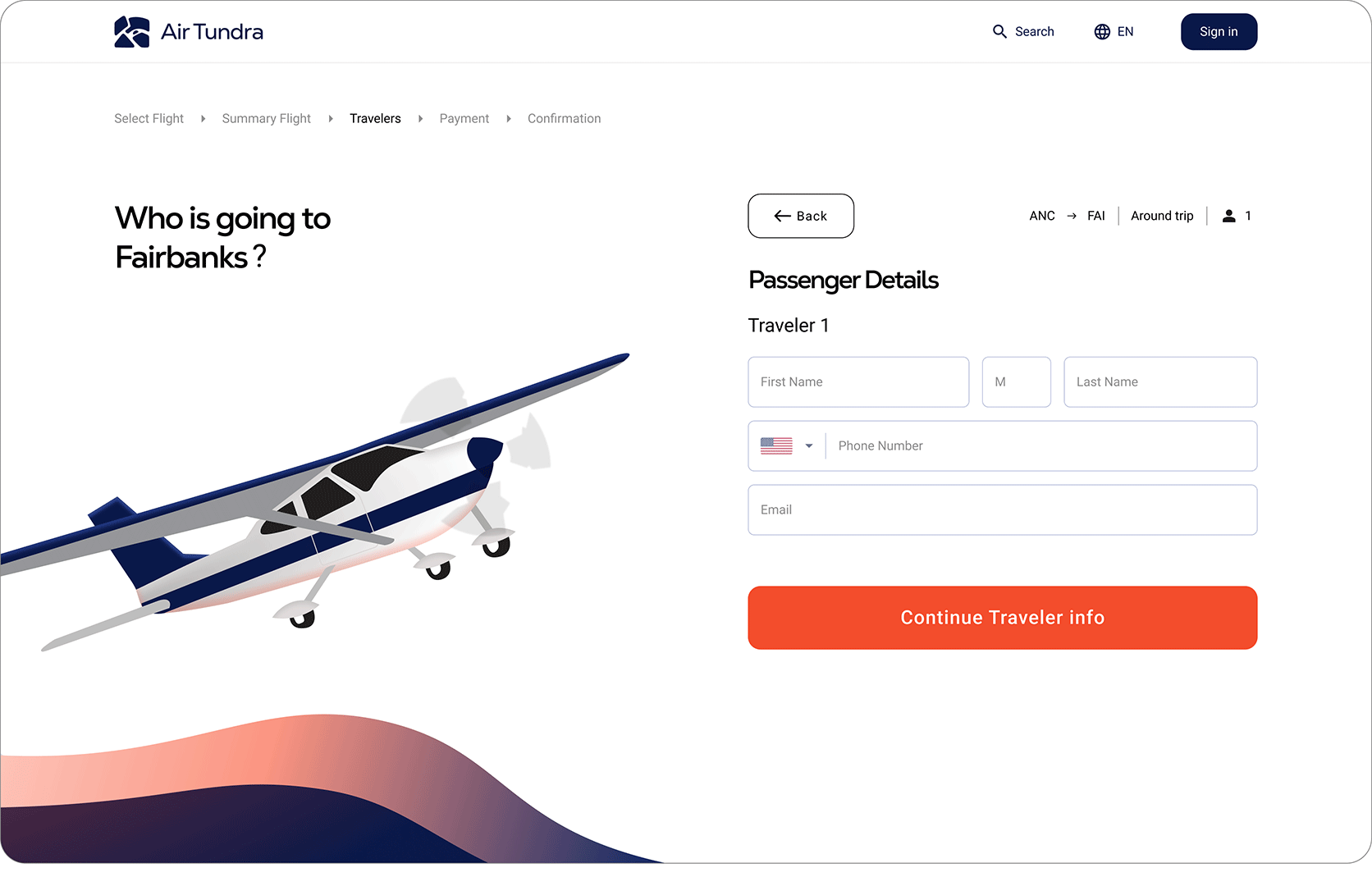
After trip summary, the users will provide their personal info. like full names, number, and email.
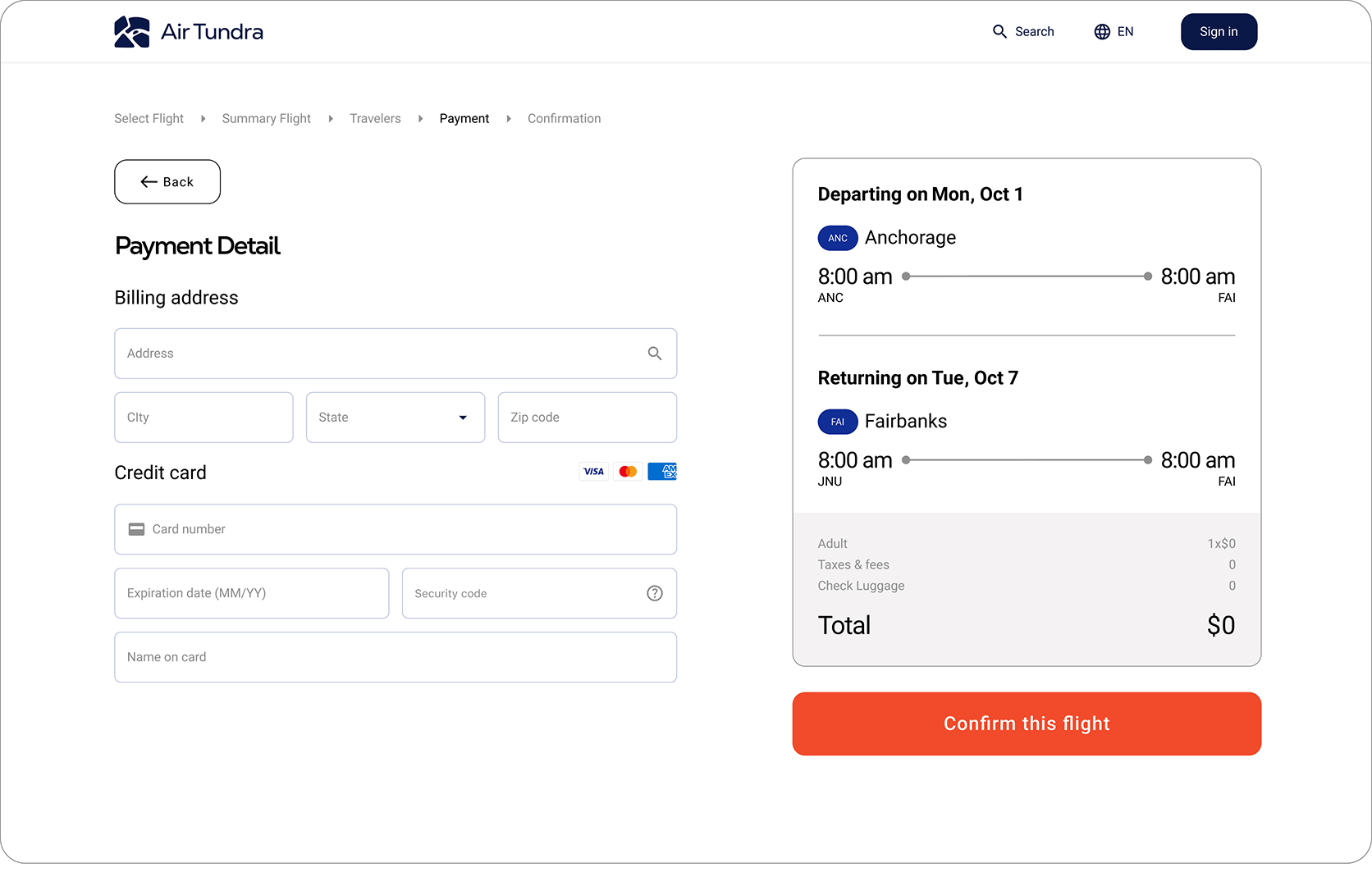
After entering passenger information, the user provides their payment details. A summary on the right shows the full flight schedule and total price for the trip.
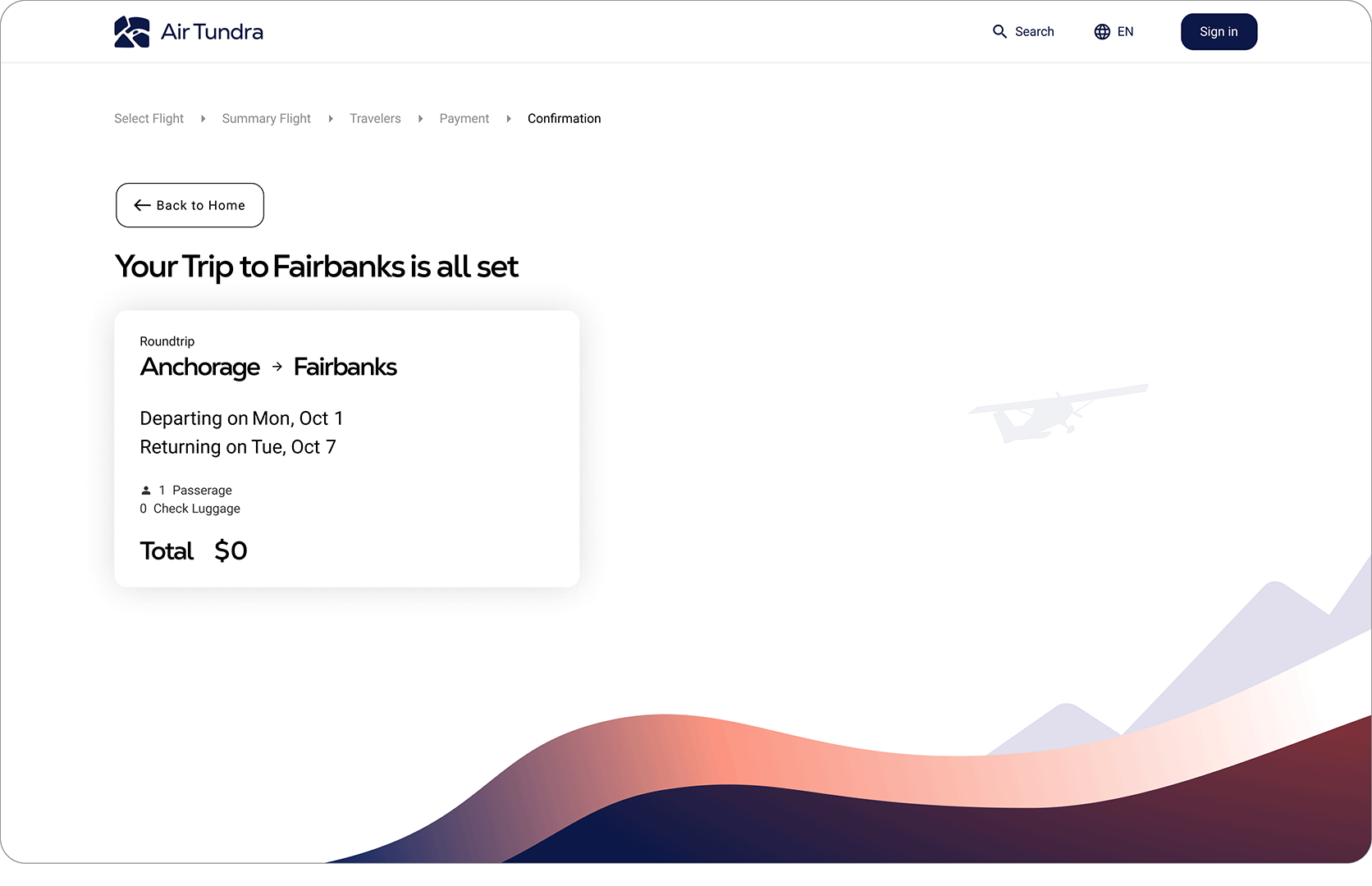
This page is a confirmation screen that verifies the user’s flights have been successfully booked.
This is the longest period of time I have work a project. Having many high and low trying to figure out the best design layout. This project help me learn to have a higher understanding how to use variables and components. Overall, though the process to get here was difficult, it has help to grow as a designer.


